CORE CAPABILITIES
Six Capabilities. Six Different Jobs.
Mobility Safe is intentionally modular. Instead of presenting staff with
one oversized screen, the platform separates identification, guidance,
coordination, awareness, and administration into focused functions.
Together they create a workflow; individually they solve different
operational problems.
M
01
Mobility Profiles
Mobility Profiles convert the current mobility plan into a concise
point-of-care reference. The profile organizes the practical elements a
staff member needs before beginning a mobility task, creating a consistent
destination for resident-specific direction instead of making each user
determine where that information was last communicated.
Assistance Level
Transfer Guidance
Assistive Device
+
02
Request Assistance
Request Assistance turns an immediate staffing need into an actionable
request. Location, department, and task context help the receiving team
understand what is being asked before responding, creating a more
deliberate way to coordinate help during mobility activity.
Location
Department
Task Information
↔
03
Staff Communication
Staff Communication is intentionally scoped around care operations rather
than general workplace chat. Conversation can stay attached to the
request or mobility need that created it, giving messages context and
helping the team distinguish actionable communication from unrelated
conversation.
Team Updates
Replies
Request Status
!
04
Alerts & Notifications
Alerts & Notifications bring time-sensitive activity forward. Instead of
requiring users to continuously reopen screens to look for changes, the
platform can surface relevant events to the appropriate workflow so new
activity is easier to notice and prioritize.
Assistance Alerts
Updates
Notification Center
✓
05
Update Awareness
Update Awareness gives teams visibility into the age and review status of
mobility information. Rather than assuming every profile is equally
current, authorized users can recognize recent changes and identify
records approaching a facility-defined review interval. The feature
supports workflow awareness; it does not perform clinical reassessment.
Last Updated
Review Status
Therapy Workflow
A
06
Facility Administration
Facility Administration gives each organization control over its own
Mobility Safe environment. Administrators can oversee users, permissions,
account status, assignments, and facility-level settings so access follows
the organization's operational structure rather than a single shared
public workspace.
Staff Access
Facility Controls
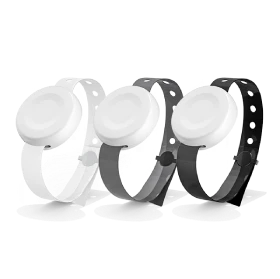
Band Management
PRIVACY-CONSCIOUS WORKFLOW
Keep Communication Focused on the Task.
Mobility Safe is being designed around a limited-purpose communication
model. Routine assistance messages are intended to focus on the
location, mobility task, assistance requirement, and approved resident
identifier rather than encouraging staff to place unnecessary names,
diagnoses, or unrelated medical information into everyday messages.
Access controls, privacy reminders, and facility-managed accounts
support that focused approach.
✓Resident initials / identifiers
✓Role-based facility access
✓Privacy reminders in messaging
✓Administrative activity awareness